 Earlier this year, Microsoft released its latest chromium-based Edge web browser, the same engine on which Google Chrome is running. This, however, leads to a browser war between the two tech giants. Google warned the user against downloading Chrome’s web extension on the new Edge browser, citing a reason that web extensions are less secured on Edge. Microsoft, on the other hand, asks its users to avoid using Chrome Extensions as they can reduce the Edge performance and functioning. People were waiting for neutral testing and review of both the browsers, which was finally done by Professor Douglas Leith, from the School of Computer Science and Statistics at Trinity College, Dublin. This will surely put a full stop on the arguments and debates which are going on between Chrome Vs Edge. Professor Douglas Leith’s research is based on how all the popular web browsers communicate with the backend servers. And the results were surprising. He categorized the browsers into three groups based on the privacy perspective. In the first group, which is considered to be the most private, there is only a single browser – Brave. The second group with moderate privacy contains Chrome, Firefox, and Safari. And the last group with the browser with the least privacy includes Edge and Yandex. Furthermore, Edge also has a feature of search autocomplete. This feature collects the details of web pages visited by the users and transfers web page information to the servers. Over time, this collected data can reveal the identity of the users following their browsing behavior. However, the good thing is the user can turn off the search autocomplete feature. It is worth mentioning that last year a security researcher reported a similar issue with the old Microsoft Edge. The researcher named Matt Weeks tweeted about the flaw in the Edge. He pointed out that the Edge sends the full URL of the pages you visit, to its backend servers. He also shared a screenshot of an Edge script that had his website and username on it. When Microsoft was confronted, one of their spokespersons provided an explanation. She said that Microsoft Edge collects the diagnostic data that includes the device identifier for the purpose of ‘product improvement.’ This diagnostic data may contain information about the websites you visit. They, however, do not track your browsing history. She further added that Edge asks permission from its users to collect this diagnostic data and also provides an option to turn it off later. Learn more by visiting OUR FORUM.  From time to time we may encounter vulnerabilities in third-party software, which in the future will be disclosed after 90 days in accordance with our responsible disclosure program. We are disclosing this “VPN bypass” vulnerability publicly because it’s important that our community and other VPN providers and their users are aware of this issue. Below we explain the nature of the security flaw, how we investigated it, and what users can do to mitigate their risk until Apple fixes the vulnerability. Typically, when you connect to a virtual private network (VPN), the operating system of your device closes all existing Internet connections and then re-establishes them through the VPN tunnel. A member of the Proton community discovered that in iOS version 13.3.1, the operating system does not close existing connections. (The issue also persists in the latest version, 13.4.) Most connections are short-lived and will eventually be re-established through the VPN tunnel on their own. However, some are long-lasting and can remain open for minutes to hours outside the VPN tunnel. One prominent example is Apple’s push notification service, which maintains a long-running connection between the device and Apple’s servers. But the problem could impact any app or service, such as instant messaging applications or web beacons. The VPN bypass vulnerability could result in users’ data being exposed if the affected connections are not encrypted themselves (though this would be unusual nowadays). The more common problem is IP leaks. An attacker could see the users’ IP address and the IP address of the servers they’re connecting to. Additionally, the server you connect to would be able to see your true IP address rather than that of the VPN server. When you connect a device to VPN, you should only be able to see traffic between the device’s IP and the VPN server or local IP addresses (other devices on your local network). As the capture below shows, there is also direct traffic between the iOS device’s IP and an external IP address that is not the VPN server (in this case it’s an Apple server). For more and a workaround please visit OUR FORUM.
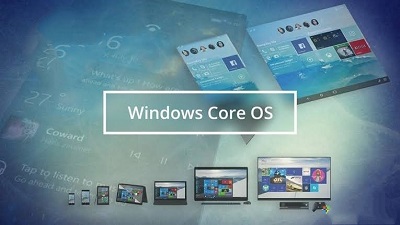 So there has been a lot of chatter about the next iteration of Windows and questions about where Microsoft is going with Windows. Will there be a Windows 11? Will Windows 10 stay the same way forever? What about Windows 10X? The future of Windows as an Operating System seems to be something called Windows Core OS. To understand what Windows Core OS is, you first have to understand a little bit about what Windows 10 is and is not. From the very beginning, Microsoft said that Windows 10 would be one Operating System that would simply work on multiple form factors. The reality though was significantly different. Windows 10 for desktops, Windows 10 for HoloLens, Windows 10 for IoT devices, Windows 10 for Surface Hub, Windows 10 for Xbox, etc are all Windows 10 but they are each unique and different Operating Systems. The truth is that Microsoft had to make substantial changes to each version of Windows to make them work on the specific hardware they were marketed for. Without those modifications, Windows 10 for desktops would be horrible or downright incompatible with an Xbox. While Windows 10 is different for each version, there are some common elements across all of its versions. OneCore and OneCoreUAP are some layers of Windows 10 that you can find across all versions of Windows 10 but unfortunately, most of the OSs are unique and built from scratch. It’s real simple here. If most of the Windows 10 Operating Systems for different devices are different code, it has to be tremendously inefficient to create, test, maintain and support each version. It’s an inefficient and expensive pain in the ass. Period. In addition, it’s a pain in the ass every time Microsoft wants to build a version of Windows 10 for a new device type, such as foldable, which seemed to come out of the blue in the last couple of years. Windows Core OS (WCOS for short) is a new, modern version of Windows and is a monumental step forward in making Windows a truly universal OS. In short, WCOS is a common denominator for Windows that works cross-platform, on any device type or architecture, that can be enhanced with modular extensions that give devices features and experiences where necessary. Basically, Microsoft is building a universal base for Windows that can be used across all these different devices. Windows Core OS strips Windows down to the bare minimum. It doesn’t include any legacy components or features and sticks to UWP as a core for the operating system as it’s lighter and already universal. From there, Microsoft can build out Windows Core OS with different components and features that it can then apply to devices where necessary. But this time, those components and features can be shared across the many different devices Windows Core OS will run on. Instead of having to develop a new version of Windows 10 for every new device type that comes along, Microsoft can simply begin with Windows Core OS and pull in common features and functions that are prebuilt. This would be infinitely more efficient for Microsoft with way fewer development dollars needed to make this happen. Learn more by visiting OUR FORUM. |
Latest Articles
|