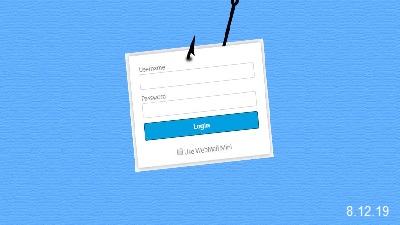
 We take a look at a phishing campaign that pretends to be an "Unusual sign-in activity" alert from Microsoft that could easily trick someone into clicking on the enclosed link. With companies such as Google and Microsoft commonly sending users alerts when unusual activity has been discovered on their account, users may feel its normal to receive them and would then click on the enclosed link. Attackers are capitalizing on this by sending emails that pretend to be "Microsoft account unusual sign-in activity" alerts from Microsoft. When compared to the legitimate email notifications sent by Microsoft, they look almost identical with the same information fields and even the same sender address. What's different, though, is that when you click on the "Review recent activity" email link, instead of going to Microsoft to review your account's sign-in activity, you are brought to a fake landing page on a non-Microsoft site that asks you to log in. When a victim enters their credentials, the information will be saved for the phishers to retrieve later so that they can access your account. No matter what credentials are entered in the fake login form, the user will always be redirected to an error page on Microsoft's live.com site. This is to make it look like there is a problem with your account and that nothing strange is going on. While some users may have felt that the emails are safe because they are coming from a legitimate Microsoft email address, it is always important to remember that the From email address can always be spoofed to be from any account an attacker wants. Therefore, even if a phishing email looks legitimate, it is important to pay attention to the URLs of the landing pages before entering your login credentials in a displayed login form. Follow this thread by visiting OUR FORUM.  A draft executive order from the White House could put the Federal Communications Commission in charge of shaping how Facebook (FB), Twitter (TWTR) and other large tech companies curate what appears on their websites, according to multiple people familiar with the matter. The draft order, a summary of which was obtained by CNN, calls for the FCC to develop new regulations clarifying how and when the law protects social media websites when they decide to remove or suppress content on their platforms. Although still in its early stages and subject to change, the Trump administration's draft order also calls for the Federal Trade Commission to take those new policies into account when it investigates or files lawsuits against misbehaving companies. Politico first reported the existence of the draft. If put into effect, the order would reflect a significant escalation by President Trump in his frequent attacks against social media companies over an alleged but unproven systemic bias against conservatives by technology platforms. And it could lead to a significant reinterpretation of a law that, its authors have insisted, was meant to give tech companies broad freedom to handle content as they see fit. A White House spokesperson declined to comment on the draft order but referred CNN to Trump's remarks at a recent meeting with right-wing social media activists. During the meeting, Trump vowed to "explore all regulatory and legislative solutions to protect free speech." According to the summary seen by CNN, the draft executive order currently carries the title "Protecting Americans from Online Censorship." It claims that the White House has received more than 15,000 anecdotal complaints of social media platforms censoring American political discourse, the summary indicates. The Trump administration, in the draft order, will offer to share the complaints it's received with the FTC. Follow this very important thread on OUR FORUM.  After demoing the Tracking Prevention feature at build 2019, Microsoft launched an experimental preview of the feature in Edge Preview builds. The feature was first made available behind a flag, today we noticed Tracking Prevention is enabled by default in Edge Dev and Canary builds and set to “Balanced” Setting, this means you no longer need to visit Edge flags page to enable the feature. Microsoft says the feature is “designed to protect you from being tracked by websites that you aren’t accessing directly”. We can simply say the Edge with the Tracking Prevention enabled, blocks trackers and third-party tracking cookies, so you’ll see fewer ads targeted at you. Microsoft’s Tracking Prevention feature works like Tracking Protection in Firefox, but the former relies on ” Trust Protection Lists”. According to Microsoft Eric Lawrance, the Trusted Protection List contains a list of known trackers and organizational lists and is derived from Mozilla’s Content blocking list, which is also obtained from Disconnected.me’s lists. So can we say both Firefox Tracking Protection and Edge Tracking Prevention same? Maybe not, there could be implementation differences. The feature is available in three modes in Microsoft Edge browser: Basic, Balanced and Strict. Basic TP prevents malicious trackers but allows some that can show relevant ads to you based on browsing history. Balanced TP is recommended and default setting blocks malicious and third-party trackers so you may see less relevant ads. Strict TP setting, when enabled, blocks most of the trackers, but there is a downside also, some websites may break. Visit OUR FORUM to learn more. |
Latest Articles
|