 Multiple malicious spam campaigns using signed emails have been observed while distributing the GootKit (aka talalpek or Xswkit) banking Trojan with the help of a multi-stage malware loader dubbed JasperLoader over the past few months. This loader is the third one detected by Cisco Talos' research team since July 2018, with Smoke Loader (aka Dofoil) being employed by threat actors to drop ransomware or cryptocurrency miner payloads last year, while Brushaloader was identified during early 2019 and seen while making use of Living-of-the-Land (LotL) tools such as PowerShell scripts to remain undetected on compromised systems. Malware loaders are popular tools for adversaries who want to make the job of dropping various malware payloads onto to their victims' machines easier because they make it possible to maximize their profits by switching the pushed malware to one suited to the infected computer. The current loader tracked by Cisco Talos is JasperLoader and its activity has been picking up during the past months, with malspam campaign operators distributing it to targets from Central Europe, with an apparent focus on Italian and German targets. "JasperLoader employs a multi-stage infection process that features several obfuscation techniques that make the analysis more difficult," says Cisco Talos. "It appears that this loader was designed with resiliency and flexibility in mind, as evidenced in later stages of the infection process." As unearthed by the researchers, JasperLoader has been disseminated by multiple malspam campaigns throughout the last months and it has been used to drop the Gootkit banking Trojan — previously distributed by DanaBot, Neutrino exploit kit and Emotet — which acts as a backdoor and can steal sensitive user information. More in-depth details are posted on OUR FORUM. 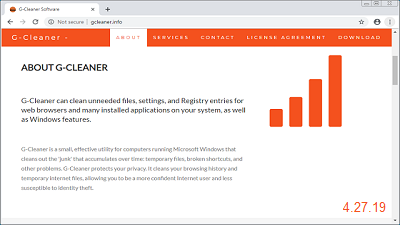 Researchers have discovered a web site pushing a PC cleaner tool for Windows that in reality is just a front for the Azorult password and information-stealing Trojan. AZORult is a trojan that when installed attempts to steal a user's browser passwords, FTP client passwords, cryptocurrency wallets, desktop files, and much more. Instead of renting distribution methods such as spam, exploit kits, or being dropped by other trojans, the attackers decided to create a fake Windows utility and an accompanying web site to distribute the Trojan instead. According to the site, G-Cleaner or Garbage Cleaner is a Windows junk cleaner that removes temporary files, broken shortcuts, and unnecessary Registry entries. Overall, it's promoted like all the other system optimization tools that we see regularly being offered. Even when you download and run the program, it looks like countless other homemade PC cleaners and states it will scan your computer for junk files and remove them. When the G-Cleaner program is installed, it will download the main components of the fake PC cleaner and save them to the C:\ProgramData\Garbage Cleaner or C:\ProgramData\G-Cleaner folders depending on the version. It will then extract a randomly named file to the %Temp% folder and execute it. This file is the malware component that will attempt to steal your computer's passwords, data, wallets, and other information. Even though this site and the malware that is being pushed is over one month old, the site is still up and running. Just yesterday, another researcher named JamesWT discovered it again and even a month later, few antivirus vendors were detecting it as malicious. Further details can be found on OUR FORUM.  If you using a Roaming User Profile and customize your Windows 10 Start Menu, any changes will be reset after upgrading to a newer version of Windows 10. Windows creates a profile for every user, which contains the changes made by the logged in user to the Windows configuration or application settings. These user profiles are normally stored on the local computer, but domain admins can configure users so that their profiles are instead stored on a network share as a Roaming User Profile. This allows users to configure the appearance of Windows or make changes to a program's configuration and have those same settings available on any other computer they log into on the same domain. In a support article, Microsoft has stated that users using a Roaming User Profile and who customize the appearance of the Start Menu will have those changes reset after upgrading to a new version of Windows 10. According to Microsoft, you can fix this issue by installing the latest cumulative update for Windows and performing the following a few easy steps. Microsoft notes that this fix will only work if the Start Menu customizations that are stored locally and have not been deleted due to a group policy configured by an administrator. "This will only work if a user’s profile with start menu customization is available locally. If the profile was deleted due to a group policy, creating a new roaming profile will not help." We have the workaround posted on OUR FORUM. |
Latest Articles
|