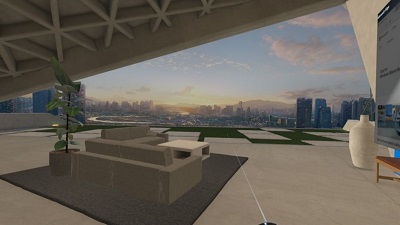
 Microsoft has released a new preview build of Windows 10 which contains a number of improvements for Windows Mixed Reality, among other tweaks. Build 17686, which has been pushed out to ‘skip ahead’ and fast ring testers, makes changes that include allowing Windows Mixed Reality apps to use the Camera Capture UI API to effectively take grabs of the virtual world. So, for example, if you’re in the Skyloft running the Mail app, you can snap an image of your virtual view and directly insert that into an email you’re composing. For those using a Mixed Reality headset with something like a backpack PC, another useful tweak is that it’s no longer necessary to plug in a monitor, so you can simply run with the backpack machine and headset. You’ll still need to hook up a monitor in order to set things up for the first time, but after that, you can have auto-login configured and dispense with the display for a much freer Mixed Reality experience Microsoft further notes that it has tweaked Mixed Reality video capture, making it easier to stop a video via the Start menu. More details listed on OUR FORUM. 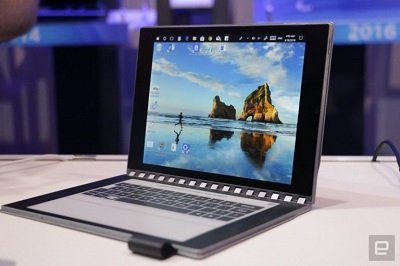 Intel’s got some great ideas. The project codenamed Tiger Rapids is said to be the future of mobile computing. Intel Tiger Rapids is a dual-screen prototype that runs full Windows 10 operating system, has a 7.9-inch LCD on one side and E Ink panel on the other. Intel’s Tiger Rapids, the conceptual prototype, was shown off for the first time at Computex 2018. People familiar with the matter believe that this is could be the evolution of 2-in-1s. It might end up replacing the tablets and laptops in a year or two. The smartphone isn’t quite versatile or comfortable enough for productivity, and a dual-screen device is going to fix this problem. Intel has actually engineered the dual-screen Windows 10, and the company has developed a software to power the E Ink panel. The LCD panel boots Microsoft’s desktop operating system. Intel Tiger Rapids isn’t really attractive, but it’s a prototype device from a chipmaker after all. One screen of the prototype boots Windows 10, so you can run apps such as Word or Excel, the second screen lets you take notes and it would appear on the first screen so that the user can make use of it. For example, if you draw something on the E Link panel, it’ll display on the first screen and it can also turn the handwritten words into texts. More is posted on OUR FORUM. 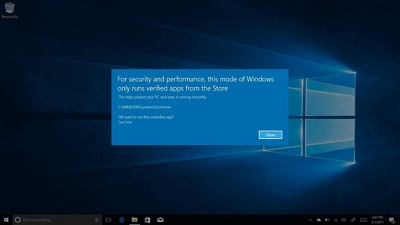 Earlier this year, Microsoft announced S Mode for Windows 10 and phased out Windows 10 S. The “S” doesn’t stand for anything in particular, but Microsoft says Windows 10 in S Mode is streamlined for simplicity, security, and speed. Windows 10 in S Mode only allows the installation of apps from Microsoft Store (formerly Windows Store). Windows 10 in S Mode basically restricts the use of Win32 software. It’s designed for low-end devices in the education market, and Microsoft is still committed to the project. Microsoft is readying a feature called Switch to S Mode. The company is still working on Switch to S Mode feature and it will launch with Windows 10 Redstone 5. It would allow you to easily switch to the S Mode from the Settings app. As noted above, it’s a seamless process so you will be able to enable it with a few taps. You can switch to Windows 10 S by following the on-screen instructions in the settings app. The feature is already available in Windows 10 Build 17686, the most recent preview of Windows 10. The S Mode will likely be a feature of the Redstone 5 update due in the fall. Visit OUR FORUM for further details. |
Latest Articles
|