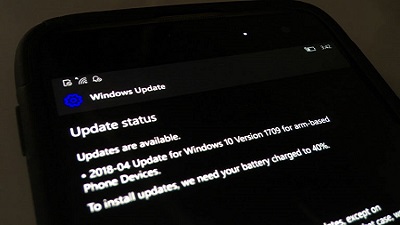
 Microsoft’s Joe Belfiore last year announced that no new feature updates for Windows 10 Mobile will be released, and recommended customers to switch to iPhone and Android if the company’s mobile platform doesn’t meet their needs. Microsoft would discontinue Windows 10 Mobile in late 2019, which means that all of the phones will stop receiving the security updates. It looks like that Microsoft has quietly updated the support page with more information about the next update for Windows 10 Mobile. More information about Windows 10 Mobile April 2018 Update has been spotted on Microsoft’s support site. Microsoft’s support page is promoting Windows 10 April 2018 Update for phones and notes that the April Update includes additional features and improvements for Windows 10 phone. The company says that the Windows Phones will automatically download and install the April update when available. Follow this on OUR FORUM.  Windows 10 April 2018 Update is available for manual download and many users rushed to install the update, but it appears that the newest version of the operating system is causing BSODs for few users. It is worth noting that the issue isn’t widespread and it appears to be affecting a wide variety of hardware configurations. The most common stop codes of BSODs is CRITICAL_PROCESS_DIED in some Windows 10 April 2018 Update systems. Not many users are pointing to BSODs after upgrading devices to Windows 10 April 2018 Update (version 1803). The BSOD could be triggered on Windows 10 April 2018 Update devices anytime regardless of the tasks you’re performing. The BSOD could happen on any hardware and you can refer to the general workaround to fix the issues. Judging from reports on social media platform, there doesn’t seem to be a specific pattern, and it’s hard to reproduce the bug. There’s a chance that a driver compatibility is causing the BSOD on some systems, or it could be the outdated programs. More can be found on OUR FORUM. 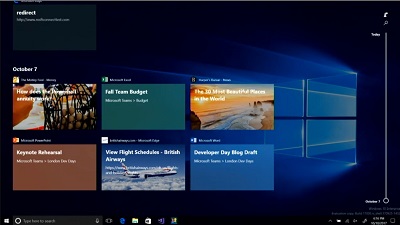 While the Windows 10 April 2018 update was part of a massive beta test using the Windows 10 Insider programme, it seems some serious issues still slipped through. The latest one to come to our attention is pretty serious and involves Explorer.exe crashing every 3-5 seconds, rendering a user’s machine more or less unusable. The issue appears related to the new TimeLine feature and occurs when the TimeLine synchronizes user activity to the cloud. According to users on Reddit two temporary solutions exist. Quote: Go to Settings > Privacy > Activity History > uncheck the option “Let Windows sync my activities from this PC to the cloud“. Once you’ve done this, simply switch to another Settings page, and then return to the previous one. Go to “Clear Activity History” and hit the “Clear” button. Explorer.exe should stop crashing now. The second is slightly riskier and should be used by users who know what they are doing: Quote: Using Regedit, navigate to hklm\software\policies\microsoft\windows\system and toggle the “enableactivityfeed” key from 1 to 0. This disables the TimeLine feature So far Microsoft has not responded to the issue, but a Feedback Hub item exists for the problem, which can be viewed here. |
Latest Articles
|