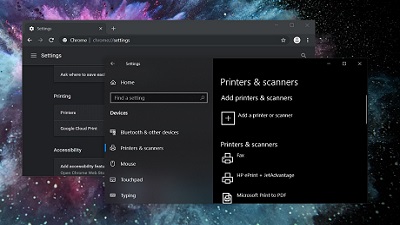
 Over the past few months, Windows 10 updates have caused serious issues for some people, and it seems like the company has released yet another disastrous patch – KB4560960 and KB4557957. The June 2020 cumulative update was supposed to be an important patch for people running the two most recent versions of Windows 10, but it appears to have introduced new bugs on some configurations. Both Windows 10 November 2019 Update and Windows 10 May 2020 Update recently had a patch issued to fix critical and important security problems. At the time of its release, we noted that Microsoft is not aware of any issues and we were wondering what it might break – and now we have more details. KB4557957 for Windows 10 version 2004 and KB4560960 for Windows 10 version 1909 are breaking down printers. This is according to several posts on Reddit, Microsoft’s Answers website, and other forums. “Has anyone had issues today with printing and the latest Windows update? We’re seeing problems with Ricoh printers that were previously stable. Changing the print driver seems to help but that’s going to be a pain if I have to roll it out to too many clients,” one user noted. In the same thread, other users also confirmed that this appears to be an issue with both KB4557957 and KB4560960 for Windows 10. “After this update, documents in my printing queue appeared for a second then disappeared. Uninstalling this update immediately fixed the problem,” another user wrote in Microsoft’s forum. The issue is that Windows 10 KB4557957 / KB4560960 updates are seemingly causing major problems mainly for Ricoh printers, but with some other brands too including Brother and Canon. Particularly, users have noted issues when printing their documents and the stability of the connection is also affected. A network technician claimed that PCL5 driver does not work with Windows 10 after installing the update and driver age does not matter. Things might improve if you install the newest version of PCL6 “universal driver”, but as one user notes, this is not a realistic approach for businesses to service hundreds of devices. The updates appear to be a complete nightmare for those with printers, which could be costly one in terms of the company’s reputation as the bug is also hitting businesses and organizations using Windows 10. Fortunately, Microsoft is aware of the reports and the company is already working on a fix, which could be deployed soon, according to a post published by Microsoft’s independent community advisor. If you’re unable to uninstall the update via Windows Settings, you can always remove it using Command Prompt. First, open Command Prompt with admin rights and run the following command after replacing the [id] with the KB (update) number. Users are also reporting other problems after recent Windows 10 cumulative updates. One user noted that the update removed their documents, files, background image, and the settings. We have more along with the steps necessary to uninstall the cumulative update posted on Our Forum.  When even the Department of Homeland Security’s Cybersecurity and Infrastructure Security Agency is starting to get nervous about your unpatched Windows 10 system, maybe it’s time to make sure you’ve downloaded everything you need from Windows Update. This time around, the agency is reacting to the emergence of new proof-of-concept attacks related to a vulnerability that was discovered in March—yes, three months ago. The exploit, “SMBGhost,” take advantage of an issue with Windows’ server message block protocol that could give an attacker unrestricted access to run whatever they want on an affected machine. (That includes servers, obviously, but also any unpatched clients connecting to one that has already been hit.) All you have to do to stay safe is to make sure you’ve installed the latest updates for Windows 10. That’s it. It’s incredibly easy to do this on your home machines—and, really, they should be updated already if you’ve been using them regularly and have them connected to the internet. Here’s the quirk, though. If you’re using a version of Windows 10 that’s older than version 1903 (released in May of last year), you’re in the clear. Your operating system doesn’t yet support SMBv3.1.1 compression, which is the source of the bug that’s being exploited by SMBGhost. So, in some weird way, not updating has kept you safer from this attack than installing a major update and getting lazy about the rest. That’s not a practice you should continue, however. It’s time to update to the latest version of Windows—version 2004, as of when we wrote this article—and make sure you stay on top of your Patch Tuesday updates and any other critical out-of-schedule updates. But there’s a caveat to that, too. As you no doubt know, Microsoft tends to have some issues with its various Windows 10 updates. So much so that it’s probably not worth your while to install every single update you can get your hands on the minute it’s released. Were I you—and this is what I do, too—I’d make sure I’m using at least Windows version 1909. I’d then use its ability to pause Windows Updates, found via Settings > Update & Security, to keep your operating system from downloading and installing updates the moment they’re released. As for how long you should wait before you install one, that’s up to you and the severity of the update in question. If an update is patching a zero-day exploit, you might want to err on the side of installing it sooner; if it’s a gigantic feature update, you can probably wait a week (or two weeks) to make sure that system-breaking bugs haven’t revealed themselves as part of the update’s public launch. Is this taxing? Yes. Will you forget about it? Sure. Will you remember it when you can’t understand why your system worked well on Tuesday but is coughing up some terrible glitch on a Wednesday morning? You will now. We have more posted on OUR FORUM.
 The United States had not provided Huawei Technologies with specific reports or evidence on cybersecurity flaws or vulnerabilities to back its claims, company vice-president Victor Zhang told Sputnik in a presser with UK media on Monday. Huawei's Cybersecurity Evaluation Centre (HCSEC) in Banbury, which works directly with the UK's National Security Advisor and others, "found no security vulnerabilities or backdoors" in the company's network products. Speaking on the need to collaborate on international security standards, he told Sputnik that global organizations such as 3GPP and others had a "very mature model for working not just with the industry, but also governments, with fairness and transparency to discuss these standards". 3GPP had "already taken serious measures on security management" on such standards. The comments follow an open letter to the UK public stating the Chinese firm had operated in Britain for 20 years and was 100 percent "owned by employees", as well as aimed to boost mobile and broadband connectivity across the UK. "Britain needs the best possible technologies, more choice, innovation, and more suppliers, all of which means more secure and more resilient networks. This is fundamental to achieving the government’s Gigabit broadband target by 2025. This is our commitment to the UK,” VP Zhang said in a statement. “Huawei grew up in the UK. We’ve been here for 20 years and were integral in building the 3G and 4G networks we all use every day," he said. The letter added that while many in cities had "fast, reliable connections", poor connectivity made "working from home, or running a small business, harder than it should be". The Chinese firm aimed to expand Britain's 5G and full-fiber broadband connectivity "to every part of the country" along with creating jobs, training engineers, and investing in the country's economy and university, the letter said. Huawei's pledge comes amid unconfirmed reports in UK media in late May citing anonymous Whitehall sources alleging the government could potentially phase out Huawei's role in building national 5G networks by 2023. But Downing Street announced in late May it had sought "new entrants into the market" to diversify suppliers and had informed allies, "including the United States" in previous talks. The UK National Cybersecurity Centre also announced it would assess the impact of phasing out Huawei's IT equipment from UK networks after UK prime minister Boris Johnson approved the Chinese tech giant's role in building IT networks in late January. But Washington extended its trade ban on Huawei, ZTE, and over 70 Chinese tech companies placed on an Entity List in May 2019 a further year over alleged national security concerns. Want to learn more please visit OUR FORUM.
|
Latest Articles
|